

AI Is Replacing Script-Based Testing And Most Teams Aren’t Ready

The transition isn’t theoretical anymore for Script-Based Testing. It’s already underway, and the gap between teams that adopt AI-driven testing and those that cling to script-heavy frameworks is widening fast.

For years, automation testing has been synonymous with writing scripts structured, repeatable, and painfully fragile. Frameworks like Selenium became the backbone of QA automation. Entire teams, processes, and even careers were built around maintaining these systems.

But here’s the uncomfortable truth:

Script-based testing doesn’t scale in a modern software environment.

And AI is exposing that weakness.

The Core Problem: Script-Based Testing Was Never Built for Speed

Script-based testing was designed in an era where:

  • Release cycles were slower
  • Applications were less dynamic
  • UI changes were less frequent

That world doesn’t exist anymore.

Today’s systems are:

  • Continuously deployed
  • Built on microservices
  • Rapidly evolving at the UI and API layers

Trying to test this environment with static scripts is like trying to manage cloud infrastructure with manual server configs. It’s outdated thinking.

Where Script-Based Testing Breaks Down

1. Maintenance Becomes the Primary Cost Center

Every change in the UI triggers a cascade of broken tests.

  • XPath changes → test failure
  • CSS class updates → test failure
  • Minor layout shifts → test failure

Your team ends up spending:

60–80% of time fixing tests instead of validating product quality.

That’s not testing. That’s firefighting.

2. Flaky Tests Destroy Trust in Automation

Flaky tests are the silent killer of QA systems.

They:

  • Pass sometimes
  • Fail randomly
  • Create false positives

Eventually, developers stop trusting test results.

And when that happens, your automation suite becomes irrelevant.

3. Slow Feedback Loops Kill Velocity

Script-heavy frameworks take time to execute and debug.

In a CI/CD pipeline:

  • Slow tests = delayed feedback
  • Delayed feedback = slower releases

In a competitive environment, that’s unacceptable.

4. Talent Dependency Is Too High

Maintaining script-based systems requires engineers who:

  • Understand programming deeply
  • Know testing frameworks inside out
  • Can debug complex failures quickly

That’s expensive and hard to scale.

AI-Driven Testing: What’s Actually Changing

Modern platforms like Testim, Mabl, and Functionize are not just improving testing they’re redefining it.

They shift testing from:

“Write and maintain scripts”
to
“Train and guide intelligent systems”

Key Capabilities of AI Testing Systems

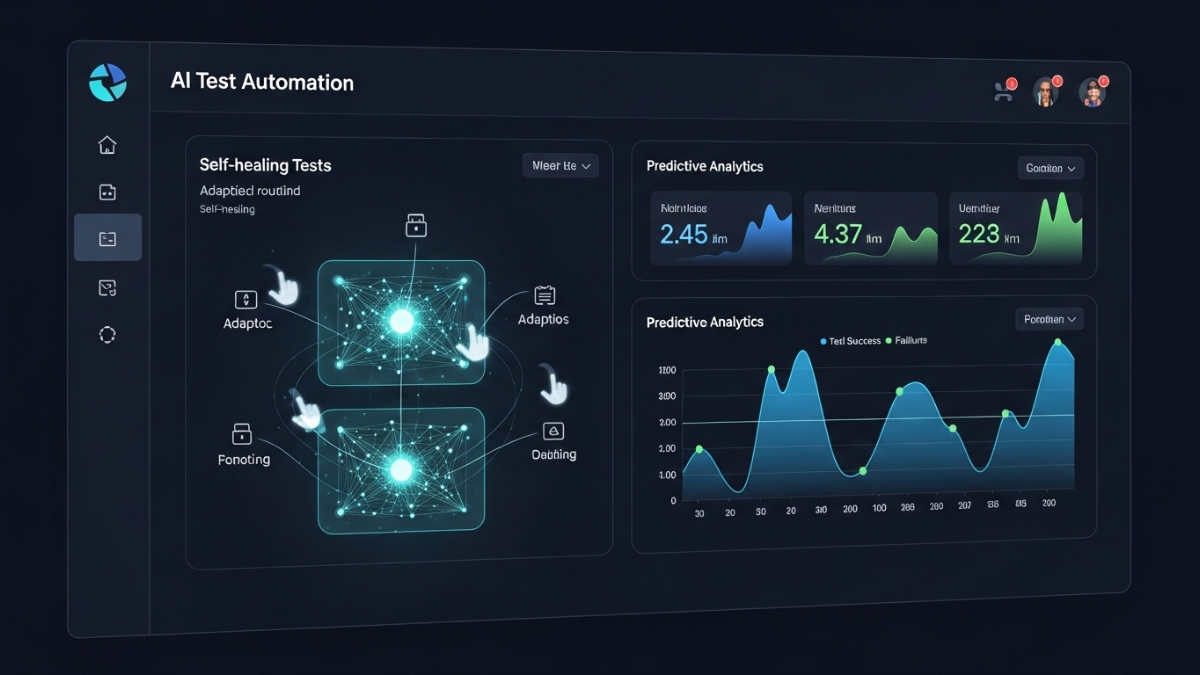
1. Self-Healing Test Execution

Traditional approach:

  • Element changes → test breaks

AI approach:

  • Model identifies similar elements
  • Automatically adjusts selectors
  • Test continues without manual fixes

This alone eliminates a massive chunk of maintenance overhead.

2. Intelligent Test Creation

Instead of manually writing test cases, AI can:

  • Observe user sessions
  • Map workflows
  • Generate realistic test scenarios

This creates tests that reflect actual user behavior not assumptions.

3. Risk-Based Testing

Not all tests are equally important.

AI systems analyze:

  • Code changes
  • Historical failures
  • User impact

Then prioritize tests accordingly.

This means faster pipelines without sacrificing quality.

4. Visual and Functional Validation

AI doesn’t just check if something “works.”

It can:

  • Detect UI inconsistencies
  • Identify layout shifts
  • Compare visual states intelligently

This reduces the need for brittle visual assertion scripts.

5. Continuous Learning

The system improves over time by learning from:

  • Failures
  • Changes
  • Usage patterns

Script-based systems degrade over time.
AI systems improve over time.

The Economics of AI vs Script-Based Testing

Let’s be blunt this shift is driven by economics.

Script-Based Testing:

  • High upfront setup
  • Continuous maintenance cost
  • Increasing complexity over time

AI-Driven Testing:

  • Higher tool cost initially
  • Lower long-term maintenance
  • Better scalability

If you’re running a business, the decision is obvious.

The Integration Layer: Where Most Teams Fail

Adopting AI tools without changing your workflow is a mistake.

AI testing must be embedded into your delivery pipeline using tools like:

  • Jenkins
  • GitHub Actions

Correct Integration Looks Like:

  • Every commit triggers AI-based test execution
  • Feedback loops are near real-time
  • Failures are categorized intelligently
  • Reports provide actionable insights

Incorrect Integration Looks Like:

  • Running AI tests as a separate QA step
  • Treating AI as a replacement for strategy
  • Ignoring test data and environment control

That’s how teams waste money on “AI tools” without getting results.

The Cultural Shift: QA Teams Must Evolve

This is where most organizations struggle.

AI doesn’t just change tools it changes roles.

Old Role: Test Executor

  • Writes scripts
  • Runs tests
  • Reports bugs

New Role: Quality Engineer

  • Designs testing strategy
  • Defines risk coverage
  • Oversees AI systems
  • Analyzes failure patterns

If your QA team doesn’t evolve, they become obsolete.

The Hard Truth Most Teams Ignore

AI testing is not optional anymore for high-growth teams.

But here’s the part nobody tells you:

Adopting AI without fixing your fundamentals will fail.

If your system has:

  • Poor architecture
  • Unstable environments
  • No CI/CD discipline
  • Undefined quality metrics

AI will amplify your chaos, not solve it.

Where Script-Based Testing Still Makes Sense

Let’s stay realistic.

Script-based testing is not completely dead.

It still works for:

  • Highly controlled environments
  • Simple applications
  • Legacy systems where change is minimal

But for:

  • SaaS platforms
  • Scalable products
  • Rapid-release environments

It’s a liability.

The Strategic Shift You Need to Make

If you want to stay competitive, your roadmap should look like this:

Phase 1: Audit Your Current Testing System

  • Identify maintenance-heavy areas
  • Measure flakiness
  • Analyze execution time

Phase 2: Reduce UI Test Dependency

  • Move logic testing to API layer
  • Keep UI tests minimal and critical

Phase 3: Introduce AI Testing Tools

Start small:

  • Pilot on high-impact workflows
  • Measure improvement

Phase 4: Integrate Into CI/CD

Make AI testing part of your pipeline not an add-on.

Phase 5: Redefine QA Roles

Train your team to think like quality engineers, not script writers.

Final Reality Check

If your current setup looks like this:

  • Heavy reliance on Selenium
  • Large volumes of brittle UI tests
  • Frequent test failures after minor updates
  • QA operating as a separate function

You’re not just inefficient you’re exposed.

Bottom Line

AI is not “enhancing” automation testing.

It is replacing the core model of how script-based testing works.

The companies that understand this early will:

  • Ship faster
  • Reduce costs
  • Build more reliable systems

The ones that don’t will:

  • Spend more
  • Move slower
  • Lose competitive edge

The Only Question That Matters

Are you building a testing system that scales with your product…
or one that collapses as it grows?

For more Contact Us

Why Continuous Performance Testing Is Redefining Software Quality Engineering

Introduction

Speed has become the defining factor in modern software development. Organizations are releasing updates daily, sometimes multiple times a day, driven by Agile practices, cloud-native architectures, and global digital demand. But with speed comes risk particularly when it comes to application performance.

A slow application is no longer just a technical issue; it directly impacts user experience, revenue, and brand reputation.

In this environment, traditional performance testing methods executed late in the development cycle are no longer sufficient. Instead, organizations are embracing a new paradigm: continuous performance testing embedded within CI/CD pipelines.

This approach ensures that performance is not an afterthought but a core, continuously validated component of software delivery.

Why Performance Has Become a Business-Critical Metric

Before diving into continuous performance testing, it’s important to understand why performance has taken center stage.

1. User Expectations Are Higher Than Ever

Users expect applications to respond instantly. Even a delay of a few seconds can lead to abandonment.

2. Digital Experiences Drive Revenue

For e-commerce, SaaS, and fintech platforms, performance directly influences conversions and customer retention.

3. Systems Are Increasingly Complex

Modern applications are built using:

  • Microservices architectures
  • APIs and third-party integrations
  • Distributed cloud environments

This complexity makes performance issues harder to detect and resolve.

4. Always-On Availability

Downtime or performance degradation is unacceptable in a 24/7 digital economy.

The Limitations of Traditional Performance Testing

Traditional approaches were designed for slower development cycles and monolithic systems.

Key Limitations:

Late Testing

Performance testing was conducted only after development was complete, making fixes costly and time-consuming.

Static Scenarios

Tests were based on predefined scripts, often failing to capture real-world usage patterns.

Limited Scalability

Simulating large-scale user traffic required significant infrastructure and effort.

Siloed Responsibility

Performance testing was often treated as a QA task rather than a shared responsibility.

Lack of Continuous Feedback

Teams lacked real-time insights into how changes impacted performance.

Continuous Performance Testing: A New Paradigm

Continuous performance testing transforms how organizations approach performance by making it:

  • Continuous instead of periodic
  • Automated instead of manual
  • Integrated instead of isolated
  • Proactive instead of reactive

Definition:

Continuous performance testing is the practice of embedding automated performance tests and monitoring throughout the entire CI/CD pipeline, ensuring performance is validated at every stage of development and deployment.

Deep Dive: CI/CD as the Foundation

CI/CD pipelines are the backbone of modern software delivery.

Continuous Integration (CI)

  • Code is integrated frequently
  • Automated tests run on every commit
  • Performance checks validate incremental changes

Continuous Deployment (CD)

  • Code is deployed automatically
  • Performance is validated in real environments
  • Monitoring ensures stability post-deployment

By integrating performance testing into CI/CD, organizations create a continuous feedback loop that identifies issues early and enables rapid resolution.

End-to-End Performance Testing Lifecycle in CI/CD

1. Code Commit Stage

  • Lightweight performance checks
  • Detect immediate regressions

2. Build Stage

  • Validate application responsiveness
  • Ensure no major performance degradation

3. Integration Testing Stage

  • Simulate interactions between components
  • Identify bottlenecks in system communication

4. Pre-Production Stage

  • Run full-scale load and stress tests
  • Validate scalability under realistic conditions

5. Production Monitoring

  • Continuously track performance metrics
  • Detect anomalies and performance drops in real time

This lifecycle ensures performance validation is continuous and comprehensive.

Key Metrics That Drive Continuous Performance Testing

To be effective, continuous performance testing relies on measurable indicators:

  • Response Time: How quickly the system responds to requests
  • Throughput: Number of requests handled per second
  • Error Rate: Frequency of failed requests
  • Latency: Delay in system communication
  • Resource Utilization: CPU, memory, and network usage

Tracking these metrics continuously enables teams to identify trends and predict issues before they occur.

Role of Cloud in Continuous Load Testing

Cloud computing has made continuous performance testing scalable and accessible.

Benefits:

  • On-Demand Scalability: Simulate millions of users without infrastructure constraints
  • Global Testing: Test performance across different regions
  • Cost Efficiency: Pay only for resources used
  • Faster Execution: Run large-scale tests quickly

This enables organizations to create realistic testing environments that mirror production systems.

Integration with DevOps and Shift-Left Strategy

Continuous performance testing aligns with the shift-left approach, where testing is moved earlier in the development process.

Benefits of Shift-Left Performance Testing:

  • Early detection of issues
  • Reduced cost of fixes
  • Faster development cycles
  • Improved collaboration between teams

Performance becomes a shared responsibility across developers, testers, and operations teams.

Real-World Scenarios Where It Matters

E-Commerce Platforms

  • Handle peak traffic during sales events
  • Ensure checkout processes remain fast

SaaS Applications

  • Maintain consistent performance across updates
  • Support growing user bases

Banking & Fintech

  • Process high transaction volumes
  • Ensure system stability and compliance

Media & Streaming Services

  • Deliver content seamlessly under heavy loads
  • Optimize streaming quality

Challenges in Implementation

Despite its advantages, adopting continuous performance testing comes with challenges:

Tool Integration

Selecting and integrating the right tools into CI/CD pipelines can be complex.

Environment Consistency

Replicating production environments accurately is difficult.

Data Management

Ensuring realistic and consistent test data is critical.

Cost Management

Large-scale testing can increase cloud costs.

Skill Gaps

Teams need expertise in both performance testing and DevOps practices.

Best Practices for Success

Automate Test Execution

Eliminate manual intervention to ensure consistency and speed.

Use Realistic Scenarios

Simulate real user behavior for accurate insights.

Define Performance Baselines

Set clear benchmarks to detect deviations.

Monitor Continuously

Track performance metrics throughout the lifecycle.

Start Small, Then Scale

Focus on critical workflows before expanding.

The Future: Autonomous Performance Engineering

Continuous performance testing is evolving into autonomous performance engineering, powered by AI.

Emerging Trends:

  • AI systems that predict performance issues
  • Automated generation of test scenarios
  • Self-healing applications that fix issues automatically
  • Real-time optimization without human intervention

This will transform performance from a testing activity into a self-optimizing capability.

Strategic Insight

Most organizations today:

  • Run performance tests occasionally
  • Treat performance as a secondary concern
  • React to issues after deployment

However, leading companies:

  • Embed performance testing into CI/CD pipelines
  • Treat performance as a core engineering discipline
  • Build systems that continuously optimize themselves

This difference is becoming a key competitive advantage.

Conclusion

The rise of continuous performance testing represents a fundamental shift in software quality assurance.

By integrating performance testing into CI/CD pipelines, organizations can:

  • Detect issues early
  • Deliver faster releases
  • Maintain consistent performance
  • Build scalable and reliable systems

In a digital-first world, where performance directly impacts success, continuous performance testing is no longer optional it is essential for staying competitive.

For more Contact US

Exploratory Testing Improves Modern Manual Testing Strategies

For decades, manual testing played a foundational role in software quality assurance. Testers executed predefined test cases, followed structured test scripts, and validated whether applications behaved according to documented requirements. This systematic approach ensured consistency and traceability, making it a cornerstone of traditional QA processes.

However, the landscape of software development has changed dramatically. Modern applications are increasingly complex, dynamic, and continuously evolving. Cloud-native architectures, microservices, AI-powered systems, and rapid deployment cycles have introduced new challenges that traditional scripted testing alone cannot fully address.

As automation tools handle more repetitive validation tasks, manual testing is undergoing a transformation. Today, manual testers are shifting toward exploratory testing, an investigative and adaptive approach that prioritizes creativity, critical thinking, and real-time discovery.

Exploratory testing is redefining the role of human testers in modern quality engineering.

The Traditional Model of Manual Testing

In traditional QA environments, manual testing followed a structured methodology. Test plans were created early in the development cycle, and testers executed detailed scripts designed to validate specific application behaviors.

Typical manual testing tasks included:

  • executing regression test suites
  • validating functional requirements
  • verifying user interface behavior
  • confirming expected outputs for specific inputs
  • documenting test results and defect reports

This approach ensured repeatability and helped maintain documentation for compliance and audit purposes. However, it also imposed limitations on how testers interacted with software.

Testers often focused on verifying what was expected rather than discovering what was unexpected.

The Limitations of Script-Based Testing

While scripted testing remains valuable, it struggles to capture the unpredictable nature of real-world user behavior.

Limited Flexibility

Test scripts define specific steps and expected outcomes. While this ensures coverage of planned scenarios, it restricts testers from deviating from the predefined path.

In many cases, unexpected behaviors only emerge when users interact with systems in ways that designers did not anticipate.

Difficulty Identifying Edge Cases

Edge cases often arise from unusual combinations of inputs, actions, or environmental conditions. These situations are rarely included in predefined scripts.

Exploratory testing allows testers to intentionally explore these unusual paths.

High Maintenance in Agile Environments

In fast-moving development environments, applications change frequently. Maintaining large libraries of scripted test cases can become time-consuming.

Scripts may quickly become outdated when features evolve, requiring continuous updates.

Understanding Exploratory Testing

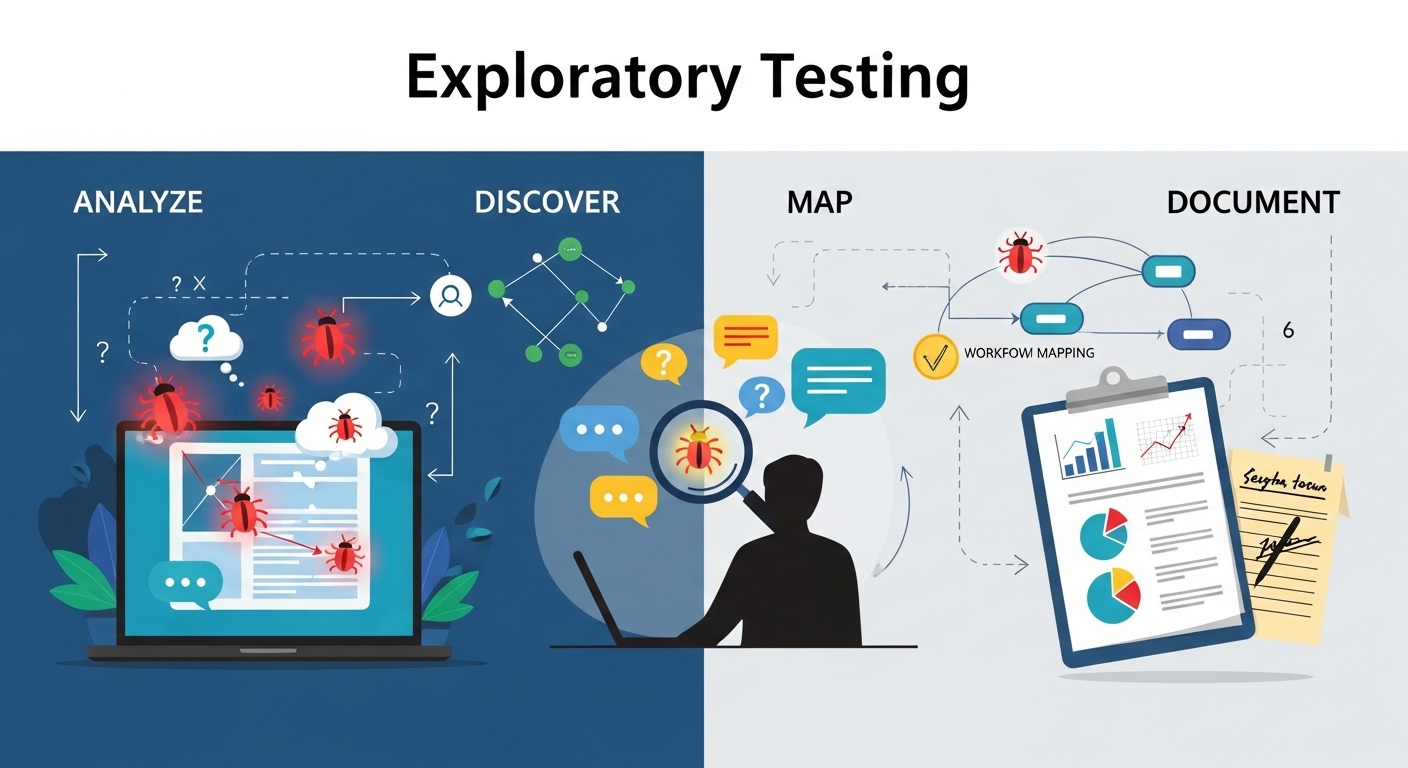
Exploratory testing is an approach where testers simultaneously learn about the application, design tests, and execute them.

Rather than following strict scripts, testers explore the system interactively, using their experience and intuition to investigate how the software behaves under different conditions.

This approach emphasizes:

  • curiosity-driven testing
  • real-time hypothesis creation
  • dynamic scenario exploration
  • creative problem discovery

Exploratory testing encourages testers to think like users, hackers, and system analysts simultaneously.

Why the Industry Is Embracing Exploratory Testing

Several trends are accelerating the shift toward exploratory testing.

Automation Handles Routine Tasks

Automation frameworks are highly effective at performing repetitive verification tasks, such as:

  • form validation
  • API response testing
  • data integrity checks
  • regression testing

Automated scripts can run thousands of tests quickly and consistently, freeing manual testers to focus on areas that require human insight.

Increasing Application Complexity

Modern software ecosystems include multiple interacting components, such as:

  • distributed microservices
  • cloud infrastructure
  • third-party integrations
  • mobile and web platforms
  • AI and machine learning modules

These interconnected systems create unpredictable interactions that automated scripts may fail to detect.

Exploratory testing helps identify issues that emerge from these complex interactions.

Continuous Deployment Demands Faster Feedback

Agile and DevOps practices emphasize frequent releases. Applications may be deployed multiple times per day.

Traditional test design cycles cannot always keep pace with rapid development.

Exploratory testing allows testers to quickly evaluate new features without waiting for formal scripts to be written.

Focus on User Experience

Modern applications must deliver seamless and intuitive experiences.

While automated tests verify functionality, they cannot evaluate whether an application feels intuitive or whether workflows make sense to users.

Exploratory testers evaluate software from the perspective of real users, identifying usability challenges that automated tests cannot detect.

Key Advantages of Exploratory Testing

Exploratory testing provides several benefits that make it essential in modern QA strategies.

Early Detection of Critical Issues

Exploratory testers often identify critical defects early because they actively investigate system behavior rather than passively executing scripts.

Realistic User Simulation

Human testers can replicate unpredictable user behaviors, such as:

  • entering unexpected input values
  • navigating interfaces non-linearly
  • combining features in unusual ways

These behaviors often reveal hidden defects.

Increased Test Coverage

Exploratory testing expands coverage beyond predefined test cases. By exploring different workflows, testers uncover edge cases that scripted tests may overlook.

Faster Feedback for Developers

Exploratory testing sessions can quickly identify areas of concern, enabling developers to address issues earlier in the development cycle.

Session-Based Exploratory Testing

To bring structure to exploratory testing, many teams adopt session-based testing frameworks.

In session-based testing, testers work within defined time blocks (sessions) focused on specific goals.

Each session typically includes:

  • a defined test objective
  • a time limit (often 60–90 minutes)
  • detailed notes on discoveries
  • documentation of defects or insights

This approach combines the creativity of exploratory testing with the discipline required for professional QA processes.

Tools That Support Exploratory Testing

Several modern tools help testers conduct exploratory testing more effectively. These tools assist with:

  • recording test sessions
  • capturing screenshots or screen recordings
  • documenting tester observations
  • tracking discovered defects
  • integrating findings with issue tracking systems

Some tools also generate reports that help teams understand which areas of the application were explored during testing sessions.

The Changing Role of QA Professionals

As exploratory testing becomes more prominent, the role of manual testers is evolving.

Modern QA professionals must develop new skills, including:

  • critical thinking and analytical reasoning
  • understanding system architecture
  • strong communication skills
  • familiarity with automation tools
  • awareness of security and performance risks

Rather than acting as script executors, testers increasingly function as quality investigators who explore systems from multiple perspectives.

Balancing Automation and Exploratory Testing

Exploratory testing works best when combined with automated testing.

Automation excels at:

  • repetitive regression tests
  • large-scale data validation
  • performance benchmarking
  • API testing

Exploratory testing excels at:

  • discovering unexpected defects
  • evaluating usability
  • identifying workflow issues
  • testing complex scenarios

Together, these approaches create a comprehensive quality assurance strategy.

Challenges in Exploratory Testing

Despite its advantages, exploratory testing presents challenges that teams must address.

Documentation and Traceability

Because exploratory testing is less scripted, documenting the exact steps taken during testing sessions can be difficult.

Session-based frameworks help mitigate this challenge.

Measuring Test Coverage

Traditional test cases provide clear coverage metrics. Exploratory testing requires alternative methods for measuring coverage.

Some teams use charters or coverage maps to track explored areas.

Skill Requirements

Exploratory testing requires experienced testers who understand both user behavior and technical systems.

Training and mentoring are essential for developing these skills.

The Future of Manual Testing

Manual testing is not disappearing. Instead, it is evolving into a more strategic discipline that focuses on human insight.

Future manual testing roles will likely include:

  • exploratory testing leadership
  • user experience validation
  • accessibility testing
  • AI behavior testing
  • security-oriented testing

As automation continues to expand, human testers will increasingly focus on areas where creativity, judgment, and intuition provide the greatest value.

Conclusion

Manual testing is shifting toward exploratory testing because modern software systems require deeper investigation and human insight. While automation continues to improve efficiency and coverage, it cannot fully replace the creativity and adaptability of human testers.

Exploratory testing enables QA professionals to uncover hidden defects, evaluate user experiences, and adapt quickly to evolving software environments.

In the future of software quality engineering, automation will handle routine validation, while exploratory testers will play a critical role in discovering the unexpected.

Together, these approaches will ensure that software is not only functional but also resilient, intuitive, and reliable

For more Contact US

Advanced Threat Modeling Strategies for Stronger Security Testing in 2026

For years, threat modeling was treated as a separate security exercise typically conducted at the beginning of a project or during compliance reviews. Functional testing, on the other hand, focused purely on validating whether a system behaved as expected.

In 2026, that separation is disappearing.

Threat modeling is increasingly being embedded directly into functional test suites, transforming security from a periodic checkpoint into a continuous validation mechanism. This shift reflects a broader change in how organizations approach software quality, risk management, and digital resilience.

The Traditional Gap Between Testing and Security

Historically, functional testing answered one primary question:

Does the system work as intended?

Security testing, meanwhile, asked:

Can the system be exploited?

Because these efforts were handled by separate teams and tools, critical vulnerabilities often emerged late in the development lifecycle. Threat modeling sessions were conducted as documentation exercises rather than operational safeguards.

This siloed model no longer works in environments defined by:

  • Continuous integration and deployment
  • Cloud-native infrastructure
  • API-driven architectures
  • Rapid feature releases

Security risks evolve at the same speed as application code.

What It Means to Integrate Threat Modeling Into Functional Testing

When threat modeling becomes part of functional test suites, it changes how requirements are written, how tests are designed, and how systems are validated.

Instead of testing only for expected behavior, teams also test for:

  • Misuse scenarios
  • Privilege escalation attempts
  • Data exposure risks
  • Authentication bypass conditions
  • Rate-limiting failures

Threat scenarios are translated into executable test cases.

This integration ensures that every functional validation cycle also verifies that security assumptions hold true.

Why This Shift Is Happening Now

Several factors are driving this transformation:

DevSecOps Maturity

Organizations have adopted DevSecOps practices, embedding security tools directly into CI/CD pipelines. As security becomes automated, it naturally aligns with automated testing frameworks.

API and Microservices Architecture

Modern systems expose numerous endpoints. Traditional perimeter security is insufficient. Threat modeling must evaluate how each service behaves under malicious conditions.

Rising Cost of Breaches

Data breaches, ransomware incidents, and compliance violations have demonstrated that reactive security is expensive. Prevention requires earlier detection of flawed logic.

Regulatory Pressure

Industries with strict compliance requirements now demand evidence of proactive risk identification. Integrated threat modeling supports auditability.

How Threat Modeling Enhances Functional Test Coverage

Embedding threat modeling improves test quality in multiple ways:

  • Functional tests simulate malicious input patterns
  • Authorization boundaries are validated automatically
  • Data flow paths are verified for exposure risks
  • Error handling is tested for information leakage

Testing evolves from confirming success cases to validating resilience.

In practice, this means:

  • Adding negative test cases
  • Simulating abnormal system states
  • Stress testing authentication workflows
  • Validating encryption enforcement

Security becomes measurable within quality metrics.

Related Articles: Why API-First Automation Is Transforming UI-Heavy Testing in 2026

From Static Diagrams to Dynamic Validation

Traditional threat modeling often relied on architectural diagrams and static analysis sessions. While valuable, these methods lacked continuous validation.

Modern integration converts threat models into:

  • Automated security assertions
  • Pipeline-based validation scripts
  • Continuous compliance checks
  • Runtime behavior monitoring triggers

Threat intelligence feeds can even update test logic dynamically.

This shift moves threat modeling from theoretical risk discussion to executable security enforcement.

Organizational Impact of Integrated Threat Modeling

When threat modeling becomes part of functional testing, organizational dynamics change.

Development Teams

Developers become more aware of potential abuse cases and design with defensive patterns.

QA Teams

Quality assurance expands scope beyond correctness to include resilience testing.

Security Teams

Security professionals collaborate earlier and continuously rather than acting as late-stage gatekeepers.

This collaborative approach reduces friction and shortens remediation cycles.

Benefits of Integrating Threat Modeling Into Functional Test Suites

Organizations that adopt this model experience:

  • Earlier detection of logical vulnerabilities
  • Reduced false positives from standalone security scans
  • Improved compliance documentation
  • Faster release cycles with lower risk
  • Greater confidence in production stability

Security becomes an inherent characteristic of the system rather than an external overlay.

Challenges to Consider

Despite its advantages, integration requires:

  • Skilled cross-functional collaboration
  • Updated test automation frameworks
  • Clear threat modeling methodologies
  • Ongoing maintenance of threat scenarios

However, the long-term reduction in breach risk outweighs the initial implementation effort.

The Future of Security Testing

Looking forward, threat modeling will likely integrate with:

  • AI-driven anomaly detection
  • Behavior-based risk scoring
  • Continuous runtime validation
  • Automated exploit simulation

Functional test suites will not only verify that systems work they will verify that systems resist exploitation.

Security testing and functional testing will become inseparable components of quality engineering.

Conclusion

Threat modeling is no longer a standalone documentation task. It is becoming a practical, automated, and measurable part of functional test suites.

As digital systems grow more interconnected and complex, security cannot remain a separate phase. It must be validated continuously, alongside performance and reliability.

Organizations that integrate threat modeling into functional testing frameworks build more resilient software, reduce risk exposure, and strengthen long-term digital trust.

In modern software engineering, functionality without security is incomplete. Integrated threat validation is the new standard.

For more Details let’s connect on Contact Us

Why API-First Automation Is Transforming UI-Heavy Testing in 2026

Introduction: UI Automation Hit Its Limits

For years, UI automation was treated as the gold standard of test automation. If the test clicked buttons, filled forms, and mimicked real users, it was considered “end-to-end” and therefore valuable.

In 2026, that assumption no longer holds.

Modern software systems are faster, more distributed, and more complex than UI-heavy automation can reliably handle. As teams push for continuous delivery and faster feedback, UI-centric test suites are increasingly becoming a bottleneck rather than a safeguard.

This is why API-first automation is rapidly replacing UI-heavy testing as the backbone of modern quality strategies.

The Core Problem With UI-Heavy Automation

UI automation is not inherently bad. It’s just been overused and misapplied.

The common issues are well known:

  • Tests are slow
  • Tests are brittle
  • Minor UI changes break large test suites
  • Debugging failures is time-consuming
  • Pipelines become unstable

As applications adopt microservices, headless frontends, and dynamic UI frameworks, UI tests become increasingly fragile.

The result? Teams spend more time maintaining tests than validating quality.

Modern Applications Are API-Driven by Design

Most modern applications follow this architecture:

  • UI is a thin layer
  • Business logic lives in APIs
  • Data flows through services

In many systems, 90% of application behavior is driven by APIs, not the UI.

Testing only at the UI layer means:

  • You test logic indirectly
  • Failures are harder to diagnose
  • Coverage is shallow despite many tests

API-first automation aligns testing with where real logic lives.

What API-First Automation Actually Means

API-first automation does not mean “no UI tests.”

It means:

  • APIs are tested first and most thoroughly
  • UI tests are reduced to critical user flows
  • Business logic is validated directly
  • UI tests become confirmation layers, not primary defenses

This approach creates faster, more reliable, and more meaningful test coverage.

Why API Tests Are Faster and More Stable

1. Fewer Moving Parts

API tests don’t depend on:

  • Browsers
  • Rendering engines
  • Animations
  • Frontend timing issues

They run faster and fail for real reasons, not cosmetic ones.

2. Clearer Failure Signals

When an API test fails, you know:

  • Which service failed
  • Which endpoint
  • Which payload
  • Which validation broke

UI failures often require digging through logs, screenshots, and recordings just to understand what happened.

API-First Automation reduce diagnostic noise.

3. Earlier Feedback in the Pipeline

API tests can run:

  • On every commit
  • In parallel
  • Without heavy infrastructure

This enables true shift-left testing, catching defects before they reach the UI layer.

UI Automation Is Still Needed: Just Less of It

API-First Automation does not mean UI-free.

UI tests still matter for:

  • Critical user journeys
  • Visual regressions
  • Accessibility validation
  • Smoke testing production readiness

But instead of hundreds of UI tests, modern teams maintain:

  • A small, high-value UI suite
  • Focused on user confidence, not coverage numbers

This dramatically reduces flakiness and maintenance overhead.

The CI/CD Reality: Speed Beats Exhaustiveness

In continuous delivery environments, feedback speed matters more than exhaustive UI coverage.

API-first automation enables:

  • Faster pipelines
  • Predictable execution times
  • Reliable gating of releases

UI-heavy pipelines often become:

  • Slow
  • Unstable
  • Frequently bypassed

Once teams stop trusting pipelines, automation loses its value.

API-First Testing Fits QAOps and DevOps Models

As QA evolves into QAOps, automation is expected to:

  • Live inside CI/CD
  • Support observability
  • Enable rapid releases

API-First Automation testing fits naturally into this model:

  • APIs are stable integration points
  • Tests can be owned by teams
  • Automation aligns with service ownership

UI-heavy automation often sits outside these workflows, creating friction.

Contract Testing Strengthens API-First Strategies

Modern API-first approaches often include:

  • Contract testing
  • Schema validation
  • Consumer-driven tests

This ensures:

  • Services don’t break downstream consumers
  • Changes are validated before deployment
  • Teams can move independently

UI tests cannot provide this level of service-to-service confidence.

Cost Is Becoming Impossible to Ignore

UI automation is expensive:

  • Infrastructure costs
  • Maintenance time
  • Debugging effort

API tests are cheaper to:

  • Write
  • Run
  • Maintain

In an environment where automation ROI is scrutinized, API-first testing consistently delivers better cost-to-confidence ratios.

Why Teams Are Actively Reducing UI Test Suites

Across industries, teams are:

  • Deleting redundant UI tests
  • Migrating logic validation to APIs
  • Keeping only high-impact UI coverage

This is not a trend—it’s a correction.

Teams learned that:

More UI tests ≠ better quality

Better test design does.

Common Mistakes When Adopting API-First Automation

1. Treating APIs as Implementation Details

API tests should validate behavior and contracts, not internal logic.

Over-coupled tests create fragility.

2. Ignoring Data Management

API tests require:

  • Controlled test data
  • Isolated environments
  • Predictable states

Without this, API tests become flaky too.

3. Eliminating UI Tests Completely

Removing all UI tests creates blind spots.

Balance matters.

How to Transition From UI-Heavy to API-First

A practical approach:

  1. Identify business-critical flows
  2. Move logic validation to API tests
  3. Reduce UI tests to core journeys
  4. Introduce contract testing
  5. Measure pipeline stability and speed

The goal is confidence, not coverage metrics.

What This Means for Automation Engineers

The role is changing.

Automation engineers now need:

  • Strong API testing skills
  • Understanding of system architecture
  • CI/CD integration experience
  • Data and environment management expertise

Click-based automation alone is no longer enough.

Final Thoughts: Quality Lives Below the UI

UI automation made sense when applications were monoliths. Modern systems are not.

In 2026, quality is built:

  • At the service layer
  • At integration points
  • Inside pipelines

API-first automation reflects how software is actually built and deployed today.

UI testing still plays a role but it’s no longer the foundation.

The teams that succeed are those that stop testing appearances and start testing behavior. For More Details Contact Us

QAOps: How Continuous Testing Is Rewriting Quality Assurance in 2026

Introduction: Quality Assurance Is No Longer a Phase It’s a System

For years, Quality Assurance lived at the end of the software lifecycle. Code was written, features were “done,” and then QA stepped in to validate what already existed. That model is officially broken.

In 2026, speed is non-negotiable. Releases happen daily, sometimes hourly. In this environment, traditional Quality Assurance simply cannot keep up. The result is a fundamental shift: QAOps the integration of quality assurance directly into DevOps pipelines through continuous testing, automation, and real-time feedback.

QAOps isn’t a trend. It’s a survival mechanism.

What Is QAOps Really?

QAOps is not just “more automation” or “testing earlier.” It’s a systemic change in how quality is owned, measured, and delivered.

At its core, QAOps means:

  • Testing is continuous, not scheduled
  • Quality is everyone’s responsibility, not just QA’s
  • Feedback loops are automated and immediate
  • Testing lives inside CI/CD pipelines
  • Production behavior informs future tests

In short, QAOps treats quality as an operational capability, not a checkpoint.

Why Traditional QA Failed at Scale

1. Testing Happens Too Late

When Quality Assurance is a final gate, defects are discovered after:

  • Architectural decisions are locked
  • Timelines are compressed
  • Fixes are expensive

Late testing increases risk instead of reducing it.

2. Manual Bottlenecks Don’t Scale

Manual regression cycles can’t keep pace with:

  • Microservices architectures
  • Frequent releases
  • Multi-platform applications

Teams either skip testing or accept lower confidence.

3. QA Is Isolated From Delivery

When Quality Assurance works separately from DevOps:

  • Test environments drift
  • Failures lack context
  • Feedback arrives too late

This isolation turns Quality Assurance into a blocker instead of an enabler.

QAOps exists because this model no longer works.

Continuous Testing: The Backbone of QAOps

Continuous testing is the engine that powers QAOps. It ensures that every change is validated automatically, across the lifecycle.

Continuous testing includes:

  • Unit tests triggered on every commit
  • API and integration tests in pipelines
  • UI tests on critical paths
  • Performance and security checks
  • Monitoring and validation in production

The goal isn’t “100% automation.”
The goal is continuous confidence.

Shift-Left + Shift-Right: QAOps in Practice

QAOps combines two powerful approaches:

Shift-Left Testing

Testing moves earlier into:

  • Requirements
  • Design
  • Development

This reduces defect cost and improves clarity.

Shift-Right Testing

Quality doesn’t stop at release. QAOps validates:

  • Real user behavior
  • Performance under load
  • Error rates and anomalies

Production becomes a quality signal, not a blind spot.

Together, these approaches close the feedback loop.

The Role of Automation in QAOps

Automation is necessary but not sufficient.

In QAOps, automation must be:

  • Stable: Self-healing where possible
  • Relevant: Focused on business-critical paths
  • Fast: Optimized for pipeline execution
  • Observable: Failures provide actionable insight

Bad automation creates noise.
Good automation creates trust.

QAOps teams invest more in maintaining test value than in increasing test count.

AI Is Accelerating QAOps Adoption

AI is a major catalyst for QAOps in 2026.

Used correctly, AI helps with:

  • Test case generation
  • Test maintenance and self-healing
  • Risk-based test prioritization
  • Failure analysis and root cause detection

But here’s the hard truth:
AI doesn’t replace QA thinking. It amplifies it.

Teams that rely blindly on AI-generated tests accumulate verification debt. QAOps requires human oversight plus intelligent automation.

QAOps Changes Team Structure and Culture

QAOps is as much cultural as it is technical.

Successful teams:

  • Embed Quality Assurance engineers into product squads
  • Involve Quality Assurance in sprint planning and design
  • Share ownership of test failures
  • Treat broken pipelines as production incidents

In QAOps, quality failures are team failures, not QA failures.

Metrics That Matter in QAOps

Traditional Quality Assurance metrics (number of test cases, defects found) are insufficient.

QAOps focuses on:

  • Deployment frequency
  • Change failure rate
  • Mean time to detect (MTTD)
  • Mean time to recover (MTTR)
  • Escaped defects

These metrics tie quality directly to business impact.

Common Mistakes When Adopting QAOps

Many organizations struggle with QAOps because they:

  • Automate bad tests
  • Overload pipelines with slow UI tests
  • Ignore test data management
  • Treat QAOps as a tooling problem
  • Skip change management

QAOps fails when it’s implemented mechanically instead of strategically.

How to Start with QAOps (Practically)

If you’re transitioning toward QAOps, start here:

  1. Stabilize your CI/CD pipeline
  2. Automate critical paths first
  3. Integrate Quality Assurance early into delivery planning
  4. Introduce observability and production feedback
  5. Measure outcomes, not activity

QAOps is built incrementally not overnight.

What QAOps Means for the Future of QA

Quality Assurance is not disappearing. It’s becoming more powerful.

In 2026, top QA professionals are:

  • Quality strategists
  • Automation architects
  • Risk analysts
  • Delivery enablers

QAOps elevates QA from execution to engineering leadership.

Final Thoughts: QAOps Is the New Default

Continuous delivery demands continuous quality. QAOps provides the structure to make that possible without slowing teams down.

Organizations that adopt QAOps:

  • Release faster
  • Fail safer
  • Recover quicker
  • Build trust with users

Those that don’t will continue firefighting defects they could have prevented.

Quality hasn’t lost importance.
It has finally gained operational relevance.

If your organization is modernizing its QA strategy and moving toward QAOps and continuous testing, explore software testing and quality consulting at Contact Us